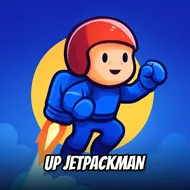
Up Jetpackman
Instructions:
click or touch the Player to MOVEDescription
Up Jetpackman Mobile & PC Control Guide
Key Combinations
- Click or tap directly on Jetpackman to fire the thrusters and push him upward.
- Release the click or lift your finger to let gravity pull him back down.
- Tap in quick bursts for small altitude corrections instead of holding for a full blast.
- Use a mouse on desktop for finer timing, or a finger on mobile for a slightly looser feel.
- No keyboard needed at all — the entire game runs on that one input.
There's something almost stubbornly simple about this one, and that's kind of the charm. Jetpackman just wants to go up, forever, and your only job is tapping him into the air before whatever's chasing from below catches up. The 2D arcade visuals keep things clean and readable, which matters a lot once the pace picks up and you're reacting on instinct rather than thought. It's the kind of game that plays fine on a lunch break, but honestly, once that endless climb hooks in, ten minutes can quietly turn into thirty. The controls are stripped down to almost nothing, click or touch, and yet the rhythm you build up feels surprisingly personal — everyone ends up with their own little tapping cadence after a few runs. There's no story here, no cutscenes, just a rocket guy and gravity arguing with each other, and somehow that's enough.
Top Tips
- Don't hold the click too long early on — short taps give you way more control than long thrust bursts.
- Watch the screen edges, not just Jetpackman himself, since obstacles tend to sneak in from the sides.
- Try to settle into a steady tapping rhythm rather than panic-clicking, it actually smooths out your climb.
- Play a few short runs first to get a feel for how fast momentum builds before going for a long attempt.
- Stay relaxed with your grip or finger pressure — tension makes you overcorrect and clip obstacles you'd normally clear.